
Building Your Professional Video Podcast Studio for 2026
- Dec 22, 2025
- 14 min read
Updated: Feb 3
Choosing Your Video Podcast Format at 100 Sutton Studios
Selecting the right format is the foundation of a successful video podcast studio. Your format determines not just the content style but also the space, gear, and workflow required for production. Let’s break down the key format choices and how they shape your studio design.

Understanding Format Options
When building a video podcast studio, your first major decision is the show format. The three most popular options are solo, group, and remote. Each brings unique benefits and challenges to your workflow.
Solo: Simple to launch, cost-effective, and perfect for personal branding. You only need basic gear and minimal space.
Group: Offers higher production value and dynamic conversation, but requires more microphones, cameras, and a larger studio.
Remote: Easiest for guests and co-hosts in different locations. It is the most accessible and budget-friendly, though it can be less personal and demands reliable software.
According to the State of Video Podcasts 2025, group podcasts tend to require greater investment in both technology and physical space, while remote formats continue to grow in popularity thanks to their flexibility. Notably, shows like "Inside of You" use a branded group studio, but many creators start solo or remote. The video podcast studio format you choose will influence every step that follows.
Planning for Your Audience and Content
Your audience should be at the heart of your video podcast studio decisions. Start by identifying who you want to reach and how they prefer to consume content.
Think about the platforms you plan to publish on. YouTube, Spotify Video, and Apple Podcasts each attract different demographics and have unique viewing behaviors. Aligning your format with your brand and subject matter is crucial. For example, a food podcast might benefit from a kitchen-style backdrop, while business podcasts often use a minimalist, professional setting.
Consider guest participation as well. Will you feature frequent interviews, or focus on a single host? Mapping your content style to your audience’s preferences ensures your video podcast studio setup is engaging and relevant.
Space and Workflow Implications
The format of your video podcast studio directly affects your space and workflow needs. Solo or remote setups typically require minimal space and can be managed with a single camera and microphone. These formats are ideal for creators working in small home offices or apartments.
Group or in-person formats, however, demand a larger studio footprint. You will need multiple microphones, cameras, and more extensive lighting. The workflow changes too: in-person recording allows for dynamic interaction, while remote sessions require robust recording software and stable internet.
Visualizing a typical episode from start to finish helps you identify technical requirements and potential bottlenecks. This approach streamlines your workflow and avoids costly surprises as your podcast grows.
Future-Proofing Your Format
As you plan your video podcast studio, consider scalability. The podcasting market is expected to grow by 20% annually through 2026, so anticipate future needs. Modular setups, like flexible furniture and movable backdrops, make it easy to expand from solo to group formats.
For example, you might start solo but plan to add co-hosts or a live audience. Choosing scalable tech, such as audio interfaces that support more channels, ensures your studio evolves without a full redesign. Prioritizing adaptability will help your video podcast studio stay relevant as trends and your ambitions change.
Essential Equipment for a Video Podcast Studio
Setting up a professional video podcast studio demands careful selection of equipment. Your gear choices shape both your workflow and the audience experience. Let us break down the essentials to help you create a studio that delivers crisp audio, stunning visuals, and a polished final product.
Microphones: Capturing Pro-Quality Audio
In any video podcast studio, audio quality is paramount. Listeners are far more likely to forgive a less-than-perfect video than poor sound. For most setups, dynamic microphones such as the Shure SM7B provide industry-leading clarity and noise rejection, though they come at a premium. Budget-conscious creators might opt for the Samson Q2U or Audio-Technica ATR2100x, both offering solid performance for less.
When choosing between USB and XLR microphones, consider your growth plans. USB mics are plug-and-play, ideal for beginners or solo hosts. XLR mics require an interface but offer superior flexibility and scalability for growing studios.
For a deep dive into choosing the best mic for your needs, refer to this Studio microphones guide.
Headphones: Monitoring Your Sound
Accurate monitoring is critical in a video podcast studio. Wired headphones are preferred for their reliability and zero latency, while wireless models offer convenience. Closed-back headphones, like the Audio Technica ATH-M30x, are excellent for blocking out ambient noise and preventing audio bleed into your mic.
Premium options such as Beyerdynamic DT770 PRO and Sennheiser HD 650 deliver exceptional comfort and clarity for long recording sessions. Open-back headphones are better suited to quiet, controlled environments, offering a more natural sound but less isolation.
Always test your headphones in your actual recording space to ensure they match your needs and complement your video podcast studio’s workflow.
Cameras: Visual Impact and Versatility
Visual quality is a defining feature of a modern video podcast studio. While smartphone cameras provide accessibility, they lack manual controls and depth-of-field options. Webcams like the Logitech Brio deliver crisp 4K video and wide angles, making them a favorite for remote or compact studio setups.
Action cameras such as the GoPro Hero 10 offer flexibility for creative shots and movement. For the highest production value, mirrorless cameras like the Sony Alpha a6000 or Canon EOS M50 excel in low light and yield a cinematic look. Pairing your camera choice with a suitable lens is key for achieving professional framing and background blur.
Lighting: Setting the Mood and Quality
Lighting elevates your video podcast studio from amateur to professional. A classic three-point lighting setup uses key, fill, and backlight to create depth and minimize shadows. Affordable kits like the NEEWER Lighting Kit or Fovitec 3-Light Kit are easy to set up and adjust.
LED panels, such as those from GVM, offer app-controlled color and brightness, supporting brand consistency. Always avoid harsh overhead lights and use blackout curtains to control natural light. Soft, indirect lighting not only flatters on-camera talent but reinforces your studio’s unique atmosphere.
Mounting and Accessories
Stability and flexibility are essential for a functional video podcast studio. Tripods keep your cameras steady, while boom arms and shock mounts minimize handling noise for microphones. Desktop mic stands work well for small spaces, and wall mounts are perfect for permanent setups.
Cable management is crucial for both safety and aesthetics. Use cable sleeves, clips, or under-desk trays to keep wires tidy and out of sight. Consider investing in modular accessories that can adapt as your studio evolves, ensuring a clutter-free and efficient workspace.
Recording and Editing Software
The right software is the backbone of your video podcast studio workflow. Popular platforms like Zoom are user-friendly, but tools like Riverside and SquadCast offer higher-quality, local multitrack recording. These platforms ensure each participant’s audio and video are captured separately for easier editing.
For post-production, Adobe Premiere Pro, Final Cut Pro, and DaVinci Resolve are industry standards for video editing. Audio can be refined using Audacity, Adobe Audition, or Logic Pro. Always choose software that matches your technical skill level and allows seamless integration from recording to publishing.
Designing Your Recording Space
Creating a professional video podcast studio starts with thoughtful space design. The right environment can elevate your content, enhance production quality, and streamline your workflow. Let us break down the essential elements to help you transform any space into a functional, visually engaging studio.
Location Selection and Room Setup
Choosing the right location is the foundation of an effective video podcast studio. Select a room that is quiet, away from street noise, and has enough wall length for camera placement and movement. Ideally, your space should be at least 10 to 12 feet deep to accommodate lighting, cameras, and hosts.
A 9-foot wall can work in a pinch, especially for solo or remote setups. If possible, use windows for natural light but avoid direct sunlight that can cause glare or harsh shadows. Keep the space uncluttered and decorate only what will appear in your video frame.
For more practical insights on adapting your home for a video podcast studio, explore this At-home recording studio setup guide.
Acoustic Treatment: Audio Optimization
Audio quality is critical in a video podcast studio. Unwanted echoes and background noise can distract your audience and diminish your message. Address these issues with acoustic panels—either commercial options or DIY solutions like thick curtains and blankets.
Soft furnishings, such as rugs and couches, help absorb sound reflections. Even hanging fabric outside the camera frame can make a noticeable difference. Studies show that acoustic paneling significantly reduces unwanted room reflections, resulting in a cleaner recording.
Experiment with panel placement, starting behind your microphones and on parallel walls. Regularly test your sound to ensure your video podcast studio maintains professional audio standards.
Aesthetics and Branding Your Backdrop
Visual branding is essential for a memorable video podcast studio. Focus on decorating only the portion of the room visible in your camera shot. Use paint, branded props, or themed décor to reinforce your podcast’s identity.
Consider affordable strategies: paint a section of the wall, add custom wall panels, or use DIY furniture for a unique look. Take inspiration from shows like the “Just Trish Podcast,” which combines brand colors and sound-absorbing materials for both style and function.
Your video podcast studio should reflect your brand and engage viewers without unnecessary distractions. Consistency in your visual elements builds recognition and professionalism.
Lighting Integration and Control
Lighting transforms the look and feel of your video podcast studio. Use a three-point lighting setup—key, fill, and backlight—to create depth and separation between hosts and background. Soft LED panels offer adjustable color temperature and brightness for precise control.
Integrate RGB or color-changing lights to match your brand’s color scheme. App-controlled lighting, such as the NEEWER TL96RGB, enables quick adjustments and creative accent effects. Combine natural and artificial sources for balanced, flattering results.
Position lights to avoid harsh shadows and excessive heat. Experiment with placement before recording to achieve a polished, professional appearance in every session.
Furniture and Functional Layout
Choose modular, moveable furniture for your video podcast studio to maximize flexibility. Multi-use counters can serve as both workspaces and storage, keeping the set organized and clutter-free. Prioritize cable management by hiding equipment in drawers or behind panels.
Custom solutions, like painted kitchen cabinets or rolling desks, allow you to adapt your space for different guests or formats. A clean, functional layout not only looks great on camera but also enhances your workflow.
By addressing each of these elements, your video podcast studio will be optimized for both visual impact and production efficiency.
Optimizing Audio and Video Quality
Creating a professional video podcast studio means prioritizing both sound and visuals. Even with impressive cameras, poor audio can turn listeners away instantly. By refining your recording process and environment, you ensure every episode feels polished and engaging. Here is how to optimize your studio’s audio and video quality for outstanding results.
Audio Signal Chain: From Mic to Recorder
The audio signal chain is the backbone of your video podcast studio. Start by connecting your microphone to an audio interface or an external recorder, such as the Zoom H6. This setup delivers cleaner audio and allows you to record multiple tracks separately.
Using an audio interface boosts sound quality and provides more control over gain and monitoring. For dynamic microphones, a preamp like the CloudLifter can improve your signal-to-noise ratio, capturing every nuance of your voice without unwanted hiss.
Interface | Features | Price Range |
Zoom H6 | 4-6 inputs, portable | $300–$400 |
Focusrite 2i2 | 2 inputs, USB | $150–$200 |
Rodecaster Pro II | 4 mic inputs, pads | $700–$800 |
When choosing your gear, consult Best Podcast Equipment for 2026 for up-to-date recommendations tailored to your video podcast studio.
Headphone Monitoring and Live Feedback
Real-time headphone monitoring is essential in a video podcast studio. It helps you catch issues like background noise, mic pops, or audio dropouts before they affect your recording.
Choose comfortable, closed-back headphones for accurate sound isolation. This minimizes bleed into microphones and lets you focus on your content. Popular options include the Audio Technica ATH-M30x or Sennheiser HD 650 for premium comfort.
Tips for effective monitoring:
Always check levels before recording.
Use splitters for multiple hosts.
Test for comfort during long sessions.
Live feedback ensures your video podcast studio runs smoothly, giving you confidence in your final product.
Camera Placement and Framing
Proper camera placement elevates the visual appeal of your video podcast studio. Position your camera at eye level for a natural look, framing hosts with head and shoulders in view. The rule of thirds creates a balanced, professional composition.
For group podcasts, consider multiple camera angles. This adds visual interest and allows seamless switching during editing. Use external monitors, like an iPad, to preview shots in real time, especially when recording solo.
Key framing tips for your video podcast studio:
Maintain consistent shot distance for all hosts.
Blur backgrounds for focus using wide apertures.
Keep essential branding visible within the frame.
Adjusting depth of field helps highlight the host and keeps distractions minimal.
Lighting Adjustments for Consistency
Consistent lighting is crucial in a video podcast studio. Three-point lighting—key, fill, and backlight—creates depth and separates hosts from the background. Adjust intensity and color temperature to match your environment and maintain skin tone accuracy.
App-controlled RGB lights, such as the Westcott Solix Bi-Color kit, offer precise control. Mix natural daylight with artificial sources for the best results. Use blackout curtains to prevent unwanted glare and maintain control over your studio’s mood.
Lighting checklist for your video podcast studio:
Avoid harsh shadows by diffusing key lights.
Match color temperature across all lights.
Add accent lights for branding or mood.
Fine-tuning your lighting setup ensures every episode looks polished and professional.
Managing Background Noise and Room Tone
Reducing background noise is vital for a professional video podcast studio. Schedule recordings during quiet periods and turn off electronics like fans or HVAC systems to minimize unwanted sounds.
Tackle room tone by using acoustic panels, carpets, or curtains to absorb echoes. During post-production, noise reduction plugins can clean up any remaining distractions. If unexpected noise interrupts, pause and re-record the segment to maintain quality.
Quick strategies for noise management:
Test the room’s sound before each session.
Place microphones close to hosts.
Edit with dedicated plugins for final polish.
By managing your environment, your video podcast studio will consistently deliver crisp, clear audio for every listener.
Workflow, Software, and Post-Production
Mastering workflow, software, and post-production is fundamental to running a successful video podcast studio. A streamlined process not only saves time but also ensures your final product stands out. With so many tools and platforms available, making the right choices can transform your content and help you scale efficiently.
Recording Software: Features and Recommendations
Choosing the right recording software is the first step in building a reliable video podcast studio workflow. Popular platforms like Riverside and SquadCast offer local, high-resolution recording, which preserves quality even if your internet connection is unstable. Zoom is widely used for remote guests due to its accessibility, but it typically delivers lower video and audio quality compared to dedicated platforms.
A key feature to look for is multi-track recording, which allows you to edit each participant's audio and video independently. This flexibility is critical for producing a polished final episode. For instance, Riverside’s local recording feature helps avoid lag and sync issues. For more actionable setup advice, see these Podcast recording studio tips.
Video and Audio Editing Tools
Editing is where your video podcast studio truly comes to life. Top video editors like Adobe Premiere Pro, Final Cut Pro, and DaVinci Resolve provide robust tools for cutting, color grading, and adding effects. For audio, options include Audacity (free and beginner-friendly), Adobe Audition, and Logic Pro, all of which offer advanced noise reduction and sound enhancement features.
Syncing audio and video tracks is essential for a professional finish. Many creators edit out background noise, insert branded intros and outros, and fine-tune color balance for a consistent look. Investing in quality editing software ensures your episodes look and sound as professional as possible.
File Management and Storage Solutions
Managing large video files is a constant challenge in any video podcast studio. Fast SSDs enable quick editing and project loading, while cloud storage solutions like Google Drive and Dropbox add redundancy and remote access. Establish a backup routine to protect your content against data loss.
Organize your files with clear folder structures and consistent naming conventions. This practice streamlines collaboration and makes retrieval effortless. For growing teams, shared drives and project management tools can further optimize your workflow and keep everyone aligned.
Publishing and Distribution Platforms
Publishing is the final step in your video podcast studio journey. Video platforms like YouTube, Spotify Video, and Apple Podcasts offer massive reach and integrated discovery features. Dedicated podcast hosts such as Libsyn, Anchor, and Podbean simplify syndication and analytics.
Create compelling show notes, custom thumbnails, and detailed metadata to boost SEO and attract more viewers. Leveraging YouTube’s active user base is a proven strategy for audience growth. With the right distribution plan, your content will reach listeners across diverse platforms and devices.
Budgeting and Cost Breakdown for 2026
Planning a high-quality video podcast studio in 2026 means balancing performance and cost. With so many gear choices and layout options, understanding your budget is crucial. Whether you are starting small or aiming for a professional look, careful investment pays off.
Equipment Cost Ranges and Recommendations
The core of every video podcast studio is its equipment. Microphones range from $60 to $500, with the Shure SM7B being a top choice for those seeking professional sound. Headphones span $50 to $300+, offering options for all budgets. Camera costs can start at $100 for webcams or smartphones, but DSLRs and mirrorless cameras may reach $1,000 or more. Lighting kits typically cost $100 to $500, while essential accessories like boom arms and stands add $50 to $300.
Gear | Budget Range |
Microphones | $60–$500 |
Headphones | $50–$300+ |
Cameras | $100–$1,000+ |
Lighting Kits | $100–$500 |
Accessories | $50–$300 |
For inspiration on a truly professional setup, see this Professional recording studio overview.
Furniture, Decor, and Acoustic Treatment
Furnishing your video podcast studio can be as affordable or as premium as you need. DIY solutions, such as painting old cabinets or building custom desks, can save significant costs, typically running $100 to $500. Pre-built options, like acoustic wall panels or branded decor, may cost more but offer a polished finish. Investing $100 to $200 in branding, such as painted backdrops or custom logos, helps your studio stand out.
DIY: Repurpose cabinets, build your own tables, use soft furnishings.
Pre-built: Purchase ready-made acoustic panels or studio furniture.
Decor: Focus on camera-facing areas for maximum visual impact.
A well-designed space improves both comfort and professionalism.
Software and Subscription Fees
Running a video podcast studio involves ongoing software and hosting expenses. Recording and editing platforms range from free to $50 per month. Popular choices include Riverside, Adobe Premiere Pro, and Audacity. Cloud storage is essential for large video files, costing $10 to $30 monthly. Hosting and distribution platforms, such as Libsyn or Podbean, charge $5 to $30 per month.
Recording/editing: Free to $50/month
Cloud storage: $10–$30/month
Hosting/distribution: $5–$30/month
Budgeting for these recurring costs ensures a smooth workflow and reliable publishing process.
Scaling Up: When to Invest More
As your video podcast studio grows, upgrading becomes essential. Investing in higher-end microphones, additional cameras, or advanced lighting can elevate your production value. Consider expanding to a dedicated studio space or hiring professional help for multi-camera setups or live streaming features. Many creators start with basic gear, then scale up as their audience and revenue increase.
Adding modular furniture, extra mics, or audience seating enables new show formats and monetization opportunities. Planning for future needs ensures your video podcast studio remains adaptable and competitive.
Advanced Tips and Future-Proofing Your Studio
Future-proofing your video podcast studio is not just a luxury; it is a necessity for creators aiming to stay competitive. As technology and audience expectations evolve, building flexibility and scalability into your setup can save time and money. Consider these advanced strategies to ensure your studio grows with your ambitions.
Modular Design for Flexibility
Designing a modular video podcast studio gives you the power to quickly adapt to new show formats or team expansions. Use rolling desks and chairs, movable backdrops, and plug-and-play microphones or cameras.
Install adjustable lighting fixtures that can be repositioned as needed.
Opt for furniture with built-in cable management to keep the space tidy.
Choose scalable tech, like USB and XLR hybrid audio interfaces, to accommodate more hosts or guests.
This approach allows you to refresh your layout or branding without a major overhaul. Planning for flexibility means your video podcast studio can grow with your show, whether you add co-hosts or introduce audience segments.
Staying Ahead with Technology
The pace of innovation in podcasting is accelerating. Embrace trends like AI-powered editing tools, 4K and 8K video recording, and virtual set technology. Interactive features, such as live streaming with audience participation, are becoming standard for top creators.
Invest in cameras and software that support higher resolutions.
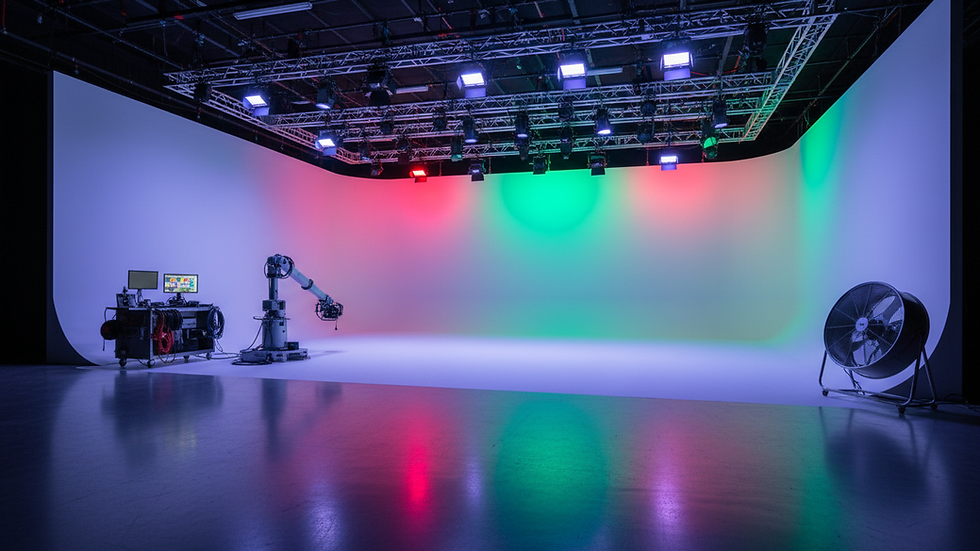
Explore motion control robots for dynamic camera shots.
Use cloud collaboration platforms for remote production.
According to the Podcasting Market Report 2025, the industry is set for rapid growth, making it essential to keep your video podcast studio technologically current. Staying informed ensures your content stands out and remains relevant.
Building for Brand Growth and Monetization
A professional video podcast studio can be a magnet for brand partnerships and sponsorships. Design your set with visually distinct elements, such as custom color schemes, logo placements, and themed props that reflect your brand identity.
Dedicate space on your backdrop for sponsor logos or product placements.
Use accent lighting to highlight branded features.
Incorporate flexible decor to easily swap out for new campaigns.
These strategies position your video podcast studio as a premium platform for advertisers. As your show’s influence grows, a strong visual identity and adaptable studio design will help attract and retain lucrative partnerships.
After exploring the essential steps to building your own video podcast studio, you might be thinking about how to bring your vision to life in a professional space. At 100 Sutton Studios, you’ll find everything you need—from versatile studio setups and premium equipment to a creative team ready to support your production goals. Whether you’re launching your first show or scaling up for a larger audience, the right environment can make all the difference. If you’re ready to take the next step and see how our studios can elevate your podcast, I invite you to Schedule a Tour.


Comments